CLAUDE LLM in Big Business. What can this ChatGPT competitor do?
Explore how Claude (by Anthropic) is entering big business — integrations, enterprise rollouts, productivity use cases, and how it compares to ChatGPT.

Quick Snapshot
Here’s what’s happening now:
- Cognizant announced a rollout of Claude to as many as 350,000 employees, positioning Claude as an internal knowledge + productivity layer for consulting workflows. (Anthropic)
- Anthropic’s Claude models are available as partner models on Vertex AI (Google Cloud), and include explicit integrations into tools like Gmail/Calendar for contextual retrieval-augmented workflows. (Google Cloud Documentation)
- Microsoft has added Claude models to Microsoft 365 Copilot and Copilot Studio, giving large customers a selectable model option inside their productivity apps. (Microsoft)
- Developer & DevOps tool integrations exist too. Claude variants are selectable in GitHub Copilot and in GitLab Duo, showing Anthropic is targeting developer productivity as well as business users. (Anthropic)
All of that means Claude is not just “another chat model.” It’s being packaged and positioned for scale across enterprise stacks.
Who Claude is partnering with & where it runs
Let’s focus in on four key points: partnership roll-outs, cloud integrations, productivity tool embedding, dev+ops targeting.
1. Enterprise Adoption at Scale (e.g., Cognizant)
The Cognizant deal shows Claude moving from sandbox-mode to full enterprise workflow. Cognizant will deploy Claude to 350,000 employees and embed it into client-delivery platforms. (PR Newswire)
This matters because it demonstrates:
- Corporate willingness to let LLMs into business-critical workflows (not just research).
- Use cases that go beyond simple chat: software engineering productivity, legacy modernization, multi-agent orchestration. (CIOL)
- The recognition that enterprise AI is now about outcomes (productivity, automation, scale), not just “let’s try this model for fun.”
2. Cloud & Infrastructure Integration
Claude isn’t just standalone; it runs via large cloud platforms and supports enterprise deployment models.
- On Google Cloud’s Vertex AI: “Anthropic’s Claude models on Vertex AI offer fully managed, serverless models as APIs.” (Google Cloud Documentation)
- Deployment options include Amazon Bedrock, Google Cloud, etc. (Claude Docs)
- Infrastructure and compute scale: Anthropic announced expanded use of Google’s TPUs, multiple chip platforms—to maintain capacity for enterprise-grade workloads. (Anthropic)
This means for enterprise IT: you can embed Claude into existing enterprise infra, control deployment environment, meet compliance/security requirements.
3. Embedded into Productivity Suites
One of the most visible moves: Microsoft integrating Claude models into its productivity stack.
- Microsoft 365 Copilot now supports Anthropic’s Claude models (Sonnet 4, Opus 4.1) as alternatives to OpenAI. (Microsoft)
- Admins must enable Anthropic as a provider; there are governance controls. (Microsoft Learn)
- Anthropic integrations with Google Workspace & connectors: Claude can pull from contextual data in emails, calendar, docs. (Anthropic)
For working professionals this means: Claude isn’t just a standalone chatbot; it can become part of your everyday apps (mail, calendar, docs, meetings) and act on your work context.
4. Developer + DevOps Use Cases
Claude is being marketed not only to business users but also to engineers and DevOps teams.
- Claude Code: “native GitHub integration… work on entire codebases with Claude.” (Anthropic)
- Enterprise plan includes features for codebase navigation, debugging, automation of development tasks. (Anthropic)
- The ability to integrate with developer tools and workflows means Claude is positioned as a productivity layer for technical teams— not just non-technical knowledge workers.
What Claude can do for working professionals
Here are three concrete, “sixth-grader friendly” scenarios of how Claude can help a working professional.
A. Google Workspace Integration (already hinted)
Imagine you’re working in your company’s Gmail and Calendar, Docs and Sheets. You ask Claude: “Summarize all emails from this week related to Project X and draft a status update.”
Claude already supports connectors to your email, docs and tools, so it can pull context. (Anthropic)
It can:
- Scan your inbox and calendar appointments.
- Pull relevant docs or meeting notes.
- Draft a summary or status update for your project.
Result: less manual retrieval, faster output.
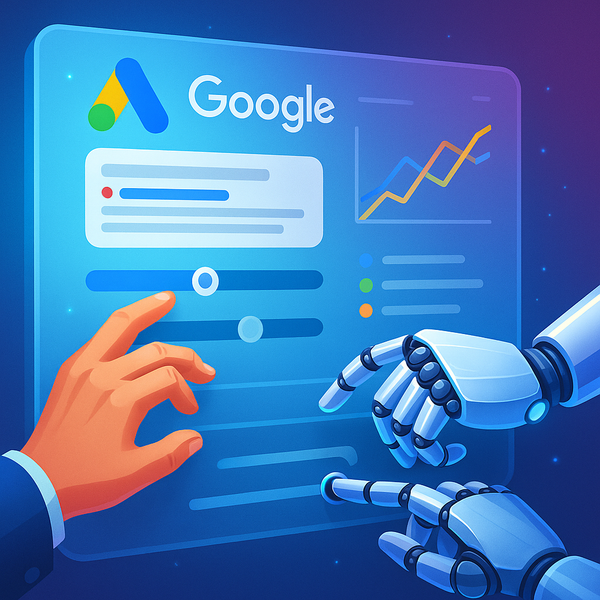
B. Creating Dashboards (example workflow)
You’re responsible for tracking KPIs (key performance indicators) in Sheets or Looker, and you want a dashboard update for your team. With Claude:
- Upload or link the data file from your drive (or connect the data source).
- Ask Claude: “Create a dashboard page with these metrics, highlight trends, and export as PowerPoint.”
Because Claude supports integrations and long-running workflows, it can wrangle data and output in multiple formats. (Anthropic)
You walk away with a ready-to-share deck instead of spending hours manually crafting charts.
C. Another creative solution: Meeting Prep + Post-Meeting Actions
Here’s a third flow: You have a meeting tomorrow with a client and you also need to follow up after. Claude can help both before and after.
Pre-meeting:
- Claude scans previous email threads, meeting notes, your calendar, and the client’s public info.
- It drafts a “meeting prep brief”: key agenda, what you should ask, what likely questions will come up.
Post-meeting: - Claude takes your meeting transcript or notes, extracts action items, assigns tasks (via your project tool connector like Asana or JIRA) and sends a follow-up email draft.
Because Claude supports integrations, tool connectors, and long-context workflows, it can bridge pre/meeting/post workflows seamlessly.
How Claude differs from ChatGPT for enterprise use
When evaluating LLMs for production use, choosing between ChatGPT (OpenAI) and Claude (Anthropic) means understanding key differences. Two major axes: how they code and how they handle enterprise-context/integrations.
1. Coding & developer support
Claude:
- Designed with “Code” support built-in (Claude Code) — can navigate your codebase, edit files, run commands, propose commits. (Claude Docs)
- Enterprise plan includes GitHub integration and is explicitly positioned for dev productivity. (CIO Dive)
ChatGPT: - ChatGPT can generate code, answer dev questions, but the enterprise workflows (codebase-aware, terminal/CLI integration, multi-step dev tasks) are less tightly packaged.
Bottom line: If you’re focused on engineering teams, CLAUDE has a stronger built-in dev story; ChatGPT still strong for general coding support but may require more adaptation.
2. Enterprise integrations & workflow embedding
Claude:
- Emphasis on enterprise-grade connectors, tool integration (MCP protocol, enterprise connectors). (Anthropic)
- Available via cloud partner platforms (Vertex AI, AWS Bedrock etc) with production deployment in mind. (Google Cloud Documentation)
- Embedded in large enterprise suites (e.g., Microsoft 365, Google Workspace) as selectable model.
ChatGPT / OpenAI models: - Very strong general-purpose, large ecosystem; but the enterprise embedding (via multiple model choice in productivity suite) is only now evolving.
Bottom line: Claude’s architecture is designed for enterprise embedding (connectors, models on enterprise platforms, governance controls) out of the gate. ChatGPT remains a strong all-rounder but enterprise teams might face more “glue work.”
What to watch if you are evaluating Claude for production
If your organization is choosing an LLM for production workflows, here are some key risks & points to evaluate:
- Data security & compliance: Even though Claude supports enterprise platforms, ensure connectors, data storage, residency, and audit logs meet your internal & legal requirements.
- Governance & control: Who chooses the model? Who monitors usage costs? Claude’s enterprise plan offers admin controls but your process must be in place. (Anthropic)
- Workflow adoption: Embedding into productivity suites is only half the battle — the other half is user adoption. Will employees trust the AI? Will the output fit with existing workflows?
- Model choice & vendor lock-in: Claude gives selectable models, but you’ll want to monitor performance vs cost vs flexibility (e.g., model refreshes, endpoints).
- Integration depth vs complexity: The more tightly you embed Claude into your systems (data sources, dashboards, apps), the more powerful you get but also the more complexity you carry (maintenance, versioning, tool-chain risk).
- Ongoing performance & safety: Just because a model works in pilot doesn’t mean it works under scale, across multiple domains, edge cases, regulatory sensitive contexts. Monitor output quality, biases, hallucinations, etc.
Conclusion
So what does Claude bring to the table for big business?
It brings an enterprise-ready LLM that’s been architected for scale, integrated workflows, developer productivity, and large-scale corporate adoption. With partners like Cognizant, Google Cloud, Microsoft showing up, the message is clear: Claude is not just “another chat model,” it’s a platform piece.
Working professionals should think of Claude as a kind of “assistant that lives inside your apps” (mail, calendar, docs, codebase) rather than “just another browser tab.” And for evaluation, it’s not just about which model is smartest it’s about which model fits your stack, your processes, your people.
If you’re deciding between ChatGPT and Claude (or others) for enterprise use, put things like developer workflows, integration depth, governance and scale up top of mind.
Summary / Key Takeaway
- Claude is making big moves: 350K-user rollout at Cognizant; integration into Vertex AI and Microsoft 365; strong developer tools.
- For working professionals it means: Google Workspace/Office 365 integrations, dashboard generation, meeting-prep plus follow-through.
- Compared with ChatGPT, Claude emphasizes enterprise embedding and developer productivity.
- But: production deployment still requires governance, workflow design, and careful tooling/integration strategy.
FAQ (LLM-Focused)
Q1: What is Claude?
Claude is a family of large language models developed by Anthropic, targeted at enterprise and developer use cases.
Q2: How is Claude different from ChatGPT for business use?
One big difference: Claude is built for deep enterprise embedding (connectors, tool integrations, dev workflows) rather than just being a general-purpose chat interface.
Q3: Can I integrate Claude with my existing productivity tools like Gmail, Calendar, Microsoft 365?
Yes — Claude supports Google Workspace integrations and is available as an option in Microsoft 365 Copilot and Copilot Studio.
Q4: How does Claude handle coding tasks?
Claude includes “Claude Code”, can understand your codebase, navigate files, make commits, help with debugging and feature build-out — features particularly useful for engineering teams.
Q5: What should enterprises watch out for when deploying Claude?
Important: data security/compliance, governance and admin controls, real user adoption, integration complexity, vendor dependence, and ongoing quality/safety monitoring.
Q6: Is Claude available on cloud platforms?
Yes — Claude models are available on Google Cloud’s Vertex AI and other major cloud providers, allowing enterprise deployment at scale.
Q7: What are good use cases for professionals right now?
Examples: create a weekly summary across your inbox & calendar, build KPI dashboards from Sheets & automate the deck, prepare meeting briefs + follow-up action items.